

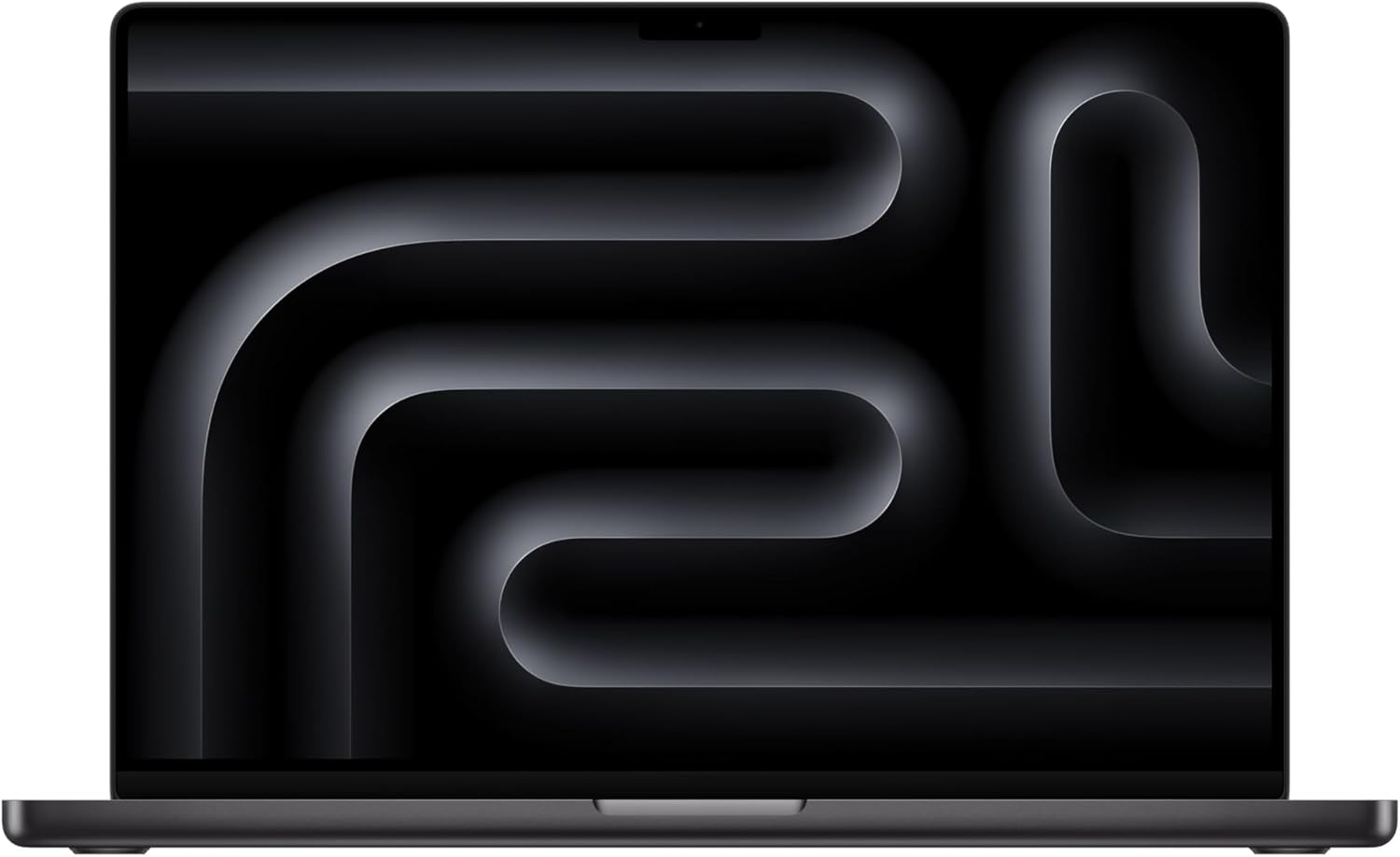
Apple MacBook Pro 16-Inch M5 Pro Review
The 16-inch Apple MacBook Pro with the M5 Pro chip is designed for people who need more than a basic everyday laptop. It combines Apple's M5 Pro processor, a large Liquid Retina XDR display, 24GB of unified memory, 1TB SSD storage, and a broad selection of professional connectivity options.
The specific configuration reviewed here uses the M5 Pro with an 18-core CPU and 20-core GPU, 24GB unified memory, and 1TB SSD storage. Apple lists the 16-inch M5 Pro MacBook Pro as a 2026 model.
Rather than focusing only on specifications, this review looks at what those specifications mean in everyday and professional use, along with the compromises worth considering before choosing this particular configuration.
Quick Overview
The 16-inch MacBook Pro is one of Apple's larger professional notebooks. Its 16.2-inch Liquid Retina XDR display has a native resolution of 3456 × 2234 pixels, a 120Hz ProMotion adaptive refresh rate, P3 wide color, and HDR brightness of up to 1,600 nits peak.
The M5 Pro configuration brings an 18-core CPU, 20-core GPU, hardware-accelerated ray tracing, a 16-core Neural Engine, and 307GB/s memory bandwidth. Apple also includes dedicated media engines for formats such as H.264, HEVC, ProRes, and ProRes RAW.
For connectivity, there are three Thunderbolt 5 ports, HDMI, an SDXC card slot, a 3.5mm headphone jack, and MagSafe 3 charging.
That combination makes the MacBook Pro particularly relevant to professionals working with demanding applications, large files, multiple displays, or media-heavy workflows.
M5 Pro Performance
The main reason to consider the MacBook Pro M5 Pro is its processing hardware.
The 18-core CPU combines six high-performance cores with 12 performance cores, while the 20-core GPU is designed for graphics-intensive workloads. The chip also includes hardware-accelerated ray tracing and Apple's 16-core Neural Engine.
For practical workloads, this hardware can be useful for video editing, software development, photo processing, 3D work, and demanding multitasking.
Independent testing from Tom's Guide found strong performance from the 16-inch M5 Pro MacBook Pro, including substantial CPU performance in its benchmark testing. The publication also reported that the system handled demanding everyday multitasking smoothly.
That doesn't mean every user needs an M5 Pro. Someone primarily browsing the web, writing documents, checking email, and streaming video may not use much of the additional processing capability.
The difference becomes more meaningful when the workload regularly involves applications that can take advantage of additional CPU and GPU resources.
16.2-Inch Liquid Retina XDR Display
The display is one of the most noticeable features of this MacBook Pro.
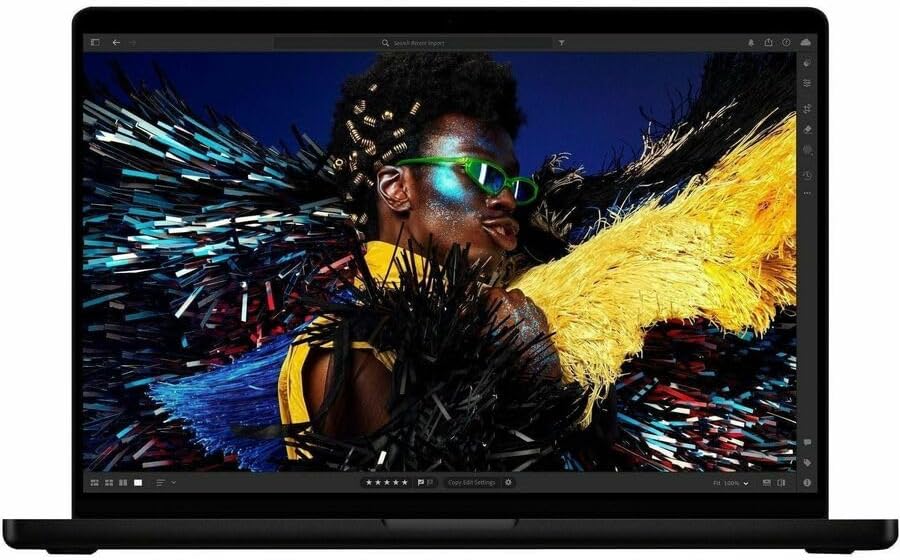
Apple specifies a 16.2-inch Liquid Retina XDR panel with a 3456 × 2234 resolution and 254 pixels per inch. It supports P3 wide color, True Tone, 1 billion colors, and ProMotion refresh rates up to 120Hz.
For HDR content, Apple rates the display at up to 1,600 nits peak brightness and 1,000 nits sustained full-screen XDR brightness.
This combination can be especially useful for:
Video editing
Photography
Graphic design
Color-sensitive work
Large spreadsheets
Software development
Multitasking across multiple windows
Watching HDR content
Independent testing from Tom's Guide also found strong display performance, including high color coverage and strong HDR brightness during its laboratory measurements.
The 120Hz ProMotion system is another practical advantage. Scrolling, animations, and supported content can appear smoother than on a conventional 60Hz display.
24GB Unified Memory
This configuration includes 24GB of unified memory.
Apple's unified memory architecture allows the CPU and GPU to access the same memory pool. For demanding applications, this can be useful because the system doesn't have to divide conventional system RAM and graphics memory into completely separate pools.
Apple confirms that 24GB is the standard M5 Pro memory configuration for this model, with higher-memory configurations available depending on the selected chip and configuration.
For everyday productivity, 24GB provides substantial headroom.
For professional users, the more important question is how the computer will be used over several years. Developers working with large projects, professionals handling large creative files, and users running multiple demanding applications may have different memory requirements from someone using the Mac primarily for office work.
Because the memory is integrated into the Apple silicon platform, choosing the appropriate configuration before purchase is important.
1TB SSD Storage
The configuration reviewed here includes a 1TB SSD.
Apple lists 1TB as the M5 Pro starting storage configuration, with larger storage options available.
A 1TB drive gives many professional users a reasonable amount of working space, but storage requirements can vary dramatically.
For example, a person working primarily with documents and applications may have plenty of room, while someone managing large video projects, extensive photography libraries, virtual machines, or large datasets can consume storage much faster.
External storage can help in those situations, but users who know they regularly work with very large files should consider their storage requirements before choosing a configuration.
Ports and Connectivity
One advantage of the MacBook Pro is that Apple has retained a useful collection of physical ports.
The 16-inch M5 Pro model includes:
Three Thunderbolt 5 ports
HDMI
SDXC card slot
3.5mm headphone jack
MagSafe 3 charging port
Apple says the Thunderbolt 5 ports support charging, DisplayPort, Thunderbolt 5, and USB 4 connectivity.
The SDXC slot can be particularly convenient for photographers and videographers transferring files from compatible cameras.
The HDMI connection can also be useful when connecting the MacBook directly to a monitor, television, or projector without relying on an additional adapter.
External Display Support
For professionals who work with multiple monitors, the M5 Pro configuration has considerable flexibility.
Apple says the M5 Pro can support up to three external displays, depending on their resolution and refresh-rate configuration. It can also continue using the built-in display at its full native resolution.
This can be useful for workflows where one display contains the main project, another holds reference material, and another handles tools, timelines, communication, or other applications.
The exact number and resolution of supported displays depend on how the monitors are configured, so users with a specialized multi-monitor setup should check Apple's display requirements before purchasing.
Battery Life
Apple rates the 16-inch M5 Pro MacBook Pro for up to 24 hours of video streaming and up to 17 hours of wireless web use. The computer has a 100-watt-hour battery and supports fast charging with a 140W or higher USB-PD power source.
Real-world battery life will vary depending on workload.
Web browsing, document work, and light productivity generally place different demands on the system than video rendering, 3D workloads, gaming, or other sustained CPU/GPU tasks.
Independent testing from Tom's Guide recorded 21 hours and 10 minutes in its Wi-Fi web-browsing battery test, although the publication noted that it had only completed one run at the time of its review.
That provides useful context alongside Apple's official figures without treating the manufacturer's maximum estimate as a guarantee for every user.

Design and Portability
The 16-inch MacBook Pro uses Apple's familiar aluminum professional-laptop design.
The large chassis provides room for the 16.2-inch display, full-size keyboard layout, speakers, cooling hardware, battery, and physical ports.
The tradeoff is portability.
The 16-inch M5 Pro model weighs approximately 4.7 pounds and measures about 14.0 × 9.7 × 0.6 inches, according to Apple's specifications and independent testing.
That is reasonable for a powerful 16-inch professional laptop, but it is still noticeably larger than a compact notebook.
If your typical work involves moving between locations throughout the day, the 14-inch MacBook Pro deserves consideration. If most of your work happens at a desk, the larger display may be more valuable than the additional portability.
What We Like
Large professional display
The 16.2-inch Liquid Retina XDR display provides plenty of working space and combines high resolution, wide color, HDR capability, and adaptive 120Hz refresh.
Strong processing capability
The 18-core CPU and 20-core GPU provide substantial processing resources for professional workloads, while dedicated media engines are useful for supported video formats.
Useful physical connectivity
Thunderbolt 5, HDMI, SDXC, MagSafe, and a headphone jack make the MacBook practical for professional setups without requiring an adapter for every peripheral.
Good configuration for demanding multitasking
The combination of 24GB unified memory and 1TB SSD provides a capable starting configuration for many professional users.
Strong battery capability
Apple's battery rating is substantial, and independent testing has also found long runtime under controlled web-browsing conditions.
What Could Be Better
The 16-inch size isn't ideal for everyone
The large screen is useful, but the laptop is heavier and takes up more space than smaller MacBook models.
24GB may not be enough for every professional workflow
For many users, 24GB is more than adequate. However, professionals working with unusually large datasets, complex virtual machines, or highly demanding production workflows may need a higher-memory configuration.
Internal storage needs careful consideration
A 1TB SSD is useful, but large creative libraries can consume it quickly.
Not every user needs M5 Pro-level hardware
If your workload consists mostly of web browsing, email, documents, video calls, and basic productivity, a less powerful MacBook may provide a more appropriate balance of hardware and portability.
Existing M4 Pro owners may see a smaller reason to change
Tom's Guide characterized the M5 Pro generation as an incremental improvement rather than a dramatic redesign, noting that the gains are more meaningful for users coming from older hardware than for every existing M4 Pro owner.
Who Is This MacBook Pro For?
The 16-inch M5 Pro MacBook Pro is particularly relevant to people who need a large display and substantial computing resources.
Potential users include:
Video editors
Photographers
Software developers
Graphic designers
3D professionals
Music producers
Engineers
Content creators
Professionals who regularly run demanding applications
Users who work with multiple external displays
The large display can also be useful for people who spend most of their working day at a desk and want more screen space without immediately adding an external monitor.
Who Might Want to Look Elsewhere?
A different laptop or MacBook configuration may make more sense if:
You prioritize minimum weight.
You frequently commute with your laptop.
Your work mainly involves documents, email, browsing, and streaming.
You don't use demanding professional applications.
You primarily need a Windows-focused gaming system.
You need hardware that can be upgraded more easily.
You don't need a large 16-inch display.
The 14-inch MacBook Pro, for example, offers a smaller form factor while retaining access to M5 Pro configurations.
Important Things to Know Before Buying
Check the exact configuration
MacBook Pro models can have substantially different specifications depending on the selected chip, memory, and storage configuration.
For this review, the important configuration is the 16-inch M5 Pro with an 18-core CPU, 20-core GPU, 24GB unified memory, and 1TB SSD. Apple's specifications confirm these core configuration details.
Consider your future workload
Because the memory and internal storage configuration should be selected carefully, think about what your workload may look like several years from now rather than only what you need today.
Think about portability
The 16-inch screen is excellent for workspace, but the larger chassis makes this less convenient for people who carry their computer frequently.
Check software compatibility
Before choosing any Mac, verify that the applications you depend on support the current macOS and Apple silicon environment, particularly if you rely on specialized professional software.
Frequently Asked Questions
Is the MacBook Pro M5 Pro good for video editing?
The hardware is well suited to demanding video workflows. Apple includes hardware acceleration for H.264, HEVC, ProRes, and ProRes RAW, along with dedicated video encoding and decoding engines.
How much memory does this configuration have?
The configuration reviewed here has 24GB of unified memory. Apple lists higher-memory options for other configurations.
Does the MacBook Pro M5 Pro have an SD card slot?
Yes. The 16-inch model includes an SDXC card slot.
Does it support external monitors?
Yes. Apple says the M5 Pro model can support up to three external displays under specified resolution and refresh-rate combinations while also operating its built-in display.
Does the display support 120Hz?
Yes. The Liquid Retina XDR display supports adaptive ProMotion refresh rates up to 120Hz.
How long does the battery last?
Apple rates the M5 Pro model for up to 24 hours of video streaming and up to 17 hours of wireless web use. Actual runtime depends on workload and settings.
Is 1TB storage enough?
That depends on how you use the MacBook. It can be a reasonable amount for many professional workflows, but large video libraries, photography collections, virtual machines, and other large datasets can consume storage quickly.
Is the 16-inch MacBook Pro portable?
It is portable, but it is not a lightweight ultraportable. The 16-inch M5 Pro model weighs about 4.7 pounds.
Final Verdict
The 16-inch MacBook Pro with M5 Pro is built around a fairly clear idea: provide substantial computing power in a large professional laptop without sacrificing the display quality or physical connectivity that many professional users need.
Its strongest characteristics are the M5 Pro processor, 16.2-inch Liquid Retina XDR display, 24GB unified memory, 1TB SSD, Thunderbolt 5 connectivity, SDXC card slot, and strong battery capability.
The main compromises are its size, weight, and the fact that its capabilities can be unnecessary for lighter workloads.
For someone editing video, developing software, working with demanding creative applications, or simply needing a large high-quality display for professional work, the configuration provides considerable hardware capability.
For lighter everyday computing, the additional performance and 16-inch form factor may not be as important.
Ultimately, the most useful question is not whether the MacBook Pro M5 Pro has impressive specifications. It does. The more relevant question is whether your actual workload benefits from those specifications enough to justify choosing a 16-inch professional laptop rather than a smaller or less powerful alternative.
